Use case
Educational explainer videos, hand-drawn
Educational explainer videos, hand-drawn: one idea per lesson on a board that builds in step with the voiceover. Produce a course library in minutes per lesson.
Create your first video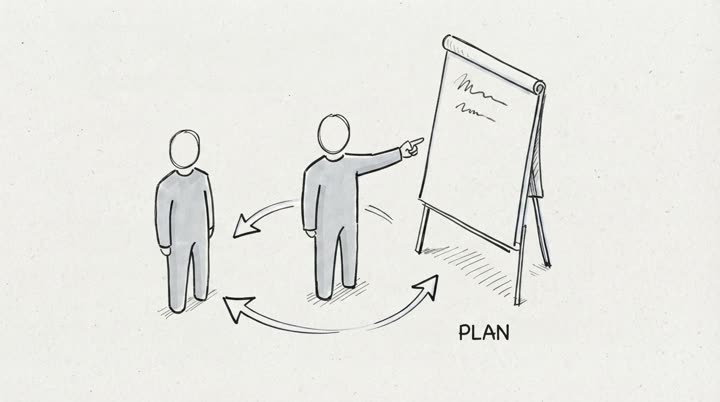
An educational explainer video is a short video that teaches one idea on a hand-drawn board. explain.ink produces educational explainer videos from a script or a topic brief, delivered in minutes with a consistent style across every lesson. The format fits a teacher building a course library, a training team producing modules at scale, a university rolling out online units, and an education channel that uploads lessons week after week in a look students recognise.
What is an educational explainer video
A single idea, taught on a hand-drawn board, in 60 seconds to 10 minutes depending on where the lesson sits. The visual is a sequence of simple sketches that build on the board as the voiceover speaks, so the student watches the diagram appear in step with the explanation rather than seeing a finished slide and reading it. That is the format that works for learning: a drawing in motion carries attention through the explanation, and the sketch stays on the board long enough to be understood before the next one is added.
The format fits any subject that benefits from a diagram, which is almost every subject taught in schools, universities, and workplaces. A biology lesson draws a cell. A finance module draws a cashflow. A compliance training draws the escalation path. A language lesson draws the verb table one row at a time. The drawing is always built on screen rather than cut in as a static graphic, which is the difference between a video that teaches and a slide deck with a voiceover. To see the drawn frame before picking one, one script in every style, side by side renders the same short lesson through each drawing style the catalogue offers.
Where an educational explainer video fits
Four places, each with a slightly different brief.
A course or a channel series. Weekly or termly uploads on a platform the audience returns to, where consistency across lessons matters as much as any single lesson. The style set at the start of the series applies to every subsequent episode without anyone managing it, so lesson twenty matches lesson one.
A training module library. A compliance, onboarding, or professional development programme that produces thirty to a hundred short videos, with a shared look so the library reads as one programme rather than a scrapbook. The pipeline produces each module from a script in minutes, which is the only way a library of that size gets built on a schedule.
A university or school online unit. A set of lessons that accompanies a semester or a term, delivered through an LMS or a course platform. The script is written by the subject lead and the drawing is produced by the pipeline, which lets the subject lead focus on teaching and skips the storyboard-illustrator-voice-actor loop that otherwise consumes the term.
An education channel. A faceless or presenter-light channel that teaches a subject on YouTube or a similar platform, uploading explainers in a recognisable style week after week. The 9:16 vertical cut is delivered alongside the 16:9 main upload, which lets a channel use shorts to feed subscribers back to the main feed from a single production.
Formats and lengths that work
Three lengths cover the educational use cases.
Micro, 30 to 90 seconds. One concept, one diagram, one takeaway. Suitable for shorts, for pre-lesson hooks, for in-module reinforcement where a longer video would break the flow of a course.
Core lesson, 2 to 5 minutes. The standard length for a module in a course library and for most channel uploads. Enough time to establish the question, draw the mechanism, and close on a conclusion the student can recall.
Deep lesson, 5 to 10 minutes. A unit that stands on its own in a semester course, a longer-form explainer on a channel, or a training module that walks through a procedure end to end. The hand-drawn board carries the length because the drawing keeps building on screen rather than looping behind the voiceover.
Format output: 1080p MP4 in 16:9 for standard upload, with a 9:16 vertical cut for shorts delivered from the same production. The vertical cut is produced from the horizontal composition rather than redrawn, so the two match.
How the pipeline produces each lesson
Four steps, and the slow step is the one in your hands.
- Source intake. Paste a finished script, upload a lesson outline, or write a short topic brief describing what the lesson should teach and what the student should know at the end. A course with a fixed module structure can submit the same shape every week and the storyboard follows it.
- Storyboard generation. The system produces a storyboard, one scene per beat in the script, each scene with a caption describing what appears on the board. You review and edit the storyboard before anything is drawn or recorded. Changing a scene here costs nothing and takes seconds, which is where the quality of the finished lesson is set.
- Drawing and voiceover. Each scene is rendered in the hand-drawn style set for the course or the series, with a voiceover produced in sync with the visual sequence. Teachers often pick the chalkboard style for science and history units, where the board is already part of the subject's visual grammar. No illustrators to brief, no voice actors to book, and the style stays identical across lessons without anyone keeping it in line.
- Delivery. The finished lesson is delivered as a 1080p MP4 in 16:9 and in 9:16, ready to upload to a course platform, an LMS, a channel, or wherever the audience watches. Adjusting an individual scene after delivery does not require re-rendering the full video.
Delivery and licensing
Each finished lesson is one 1080p MP4 in 16:9 and one 9:16 vertical cut from the same production. The video carries a voiceover produced in sync with the visual sequence, so the audio and the drawing are already matched on arrival. A commercial-use licence covers the finished video and the generated voiceover, which is what lets the lesson sit inside a paid course, a monetised channel, or a training programme a company sells to its clients. There is no watermark on video produced after minutes are purchased.
Where an educational explainer video sits in the week
An educational explainer video replaces one of three things, depending on what the lesson is doing.
A classroom explanation at the board. The teacher no longer draws the diagram in real time while a class watches, which saves the lesson for discussion of what the diagram means rather than the five minutes it took to draw. The teacher sets the video to play, pauses it where a question lives, and the lesson becomes a conversation rather than a monologue.
A slide deck narrated as a lecture. A deck with twenty slides and a voiceover becomes a drawing that builds on one board, which the student actually watches. Attention through the material is the point of the switch, and the format changes attention more than any other variable in a lesson.
A rewatch resource. A student who missed the live session or who wants to review the material before an assignment opens the video rather than the lecture recording. The format is deliberately short, which is what makes it rewatched: a two-minute lesson gets opened three times, a forty-minute lecture does not get opened once.
How pricing works
Educational explainer videos are priced by minute of finished video rather than by production, because the pipeline cost scales with runtime rather than with how many lessons are produced in a batch. A course library of fifty lessons at three minutes each is priced the same as fifty three-minute lessons produced one at a time, so building the library in a batch does not change the economics. See the pricing page for the current minute rate.
The factors that move cost are runtime, how many revision cycles the storyboard goes through, and whether the course needs a bespoke drawing style set up at the start of the series. The factors that do not move cost are the subject, the complexity of the diagram, the number of lessons produced in a quarter, and whether the final video is monetised. That matters because conventional educational video production prices every one of those as a variable, which is what makes a traditional library budget run into orders of magnitude more than this format for the same number of lessons.
Why hand-drawn, and not stock or animation
Three alternatives, and the limits of each.
Stock footage with captions. Fast, cheap, and wrong for teaching: a stock clip of a cell is not the diagram of a cell the student needs to understand, and the clip plays while the voiceover talks about something the frame does not show. Stock is for mood and context, not for explanation.
Full 2D or 3D animation. Capable of anything the brief asks for, and priced accordingly. A professionally animated lesson runs into weeks of production and a budget that stops a course library at ten lessons rather than fifty. The quality is above what a hand-drawn board can show, and the quality beyond a certain point is not what the student needs: a clear diagram built in step with the explanation beats a rendered scene the student stops watching.
AI slide decks with a voiceover. Produced in minutes, which is the appeal, and recognisable as such on first play. The slide is complete when it appears, which is the format of a reference document rather than the format of a lesson, so the voiceover reads the slide the student already read. Attention is lost in the first fifteen seconds and the lesson is not watched to the end.
Hand-drawn fills the gap: the diagram builds in step with the voiceover, which is the format that teaches, and the pipeline produces it in minutes, which is the format that scales to the number of lessons a course or a channel actually needs.
Related use cases
The same hand-drawn pipeline fits several adjacent formats:
- Training videos for compliance, onboarding, and professional development.
- Marketing explainer videos for a product page or a landing page.
- Whiteboard animation for sales enablement and client education.
- Course videos sold as part of a paid programme.
- YouTube explainer videos for a channel series.
A customer producing an educational library often ends up producing one or two of the others from the same pipeline, because the format transfers once the style is set.
Start a lesson
Paste a script, upload an outline, or write a short topic brief describing what the lesson should teach. The storyboard comes back for review, and the finished lesson is delivered when the storyboard is approved. A course library, a training programme, a channel series, or a single lesson, all start from the same place.
Published by explain.ink. Updated .